OpenXR Cross Platform Development
Khronos's own specification defines OpenXR's extension model around one rule: every extension is optional per runtime, so a codebase has to query extensions with xrEnumerateInstanceExtensionProperties, and optional core features such as STAGE with their own enumeration call, before depending on them. This guide works through the decisions that follow from that rule: action-based input bound to interaction profiles instead of raw controller state, reference spaces with no shared origin, engine-level OpenXR coverage that depends on each engine's own gap list and why visionOS is a separate platform with no OpenXR runtime to target, not another runtime to detect.
 Updated
19 min read
63 views
Updated
19 min read
63 views
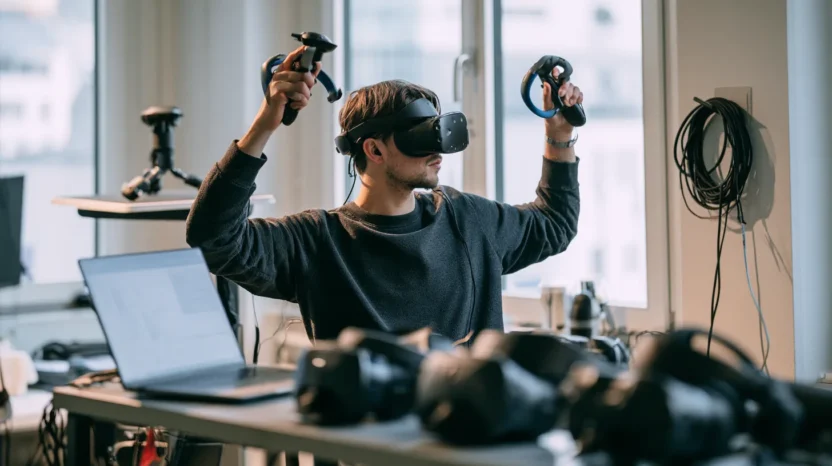
- Extensions are optional per runtime and must be queried, not assumed xrEnumerateInstanceExtensionProperties has to run before xrCreateInstance, and an app that requests an extension without checking first fails to launch, while one that never requests it at all loses the functionality, often with no error at the point of use.
- Interaction profiles, not raw controller state, are the real portability unit Core OpenXR has no API for raw controller state at all. An app that suggests bindings for an interaction profile ports across devices with different physical control layouts, while one that bypasses OpenXR through a vendor SDK or an engine's device-specific API breaks the moment the layout changes.
- There is no shared coordinate origin underneath OpenXR's reference spaces The specification deliberately defines no single global space, so mixing poses read from two different reference spaces without an explicit xrLocateSpace conversion produces a silently wrong position, and STAGE additionally needs an xrEnumerateReferenceSpaces check before use.
- Check each engine's own stated OpenXR gap list before assuming coverage Unity's own 1.14 manual lists controller and hand models, finger tracking, AR/MR features, composition layers, overlays and foveated rendering as not yet provided out of the box on OpenXR - the manual's own list, worth re-checking against its feature pages - so a porting estimate checks the target engine's own gap list rather than assuming parity.
- visionOS is a separate platform, not another OpenXR runtime to detect visionOS is absent from Khronos's conformant-runtimes list. Apple documents its own stack and never mentions OpenXR, an Apple-framework integration built on RealityKit, SwiftUI or Metal, with Unity reaching the platform through PolySpatial, or Metal for fully immersive rendering, rather than an OpenXR runtime to gate for.
Shipping the same XR application across headsets from different vendors used to mean one proprietary code path per vendor SDK. Khronos states the problem it built to close in that same before-and-after language: "Before OpenXR, developers needed to create separate proprietary code paths to support all the different devices on the market." What replaced that is a Khronos Group standard, not a single vendor's SDK: "With OpenXR, developers now have access to a single high-performance cross-platform API that enables them to build a solution once, then easily port and optimize it to reach more customers, while still taking advantage of the innovative features of specific platforms through OpenXR extensions and API layers." That last clause, still taking advantage of platform-specific features through extensions and API layers, is the part a rushed port skips when extension and reference-space queries are treated as optional, and it is the part this guide works through.
In short: a cross-platform OpenXR codebase has to gate six capabilities correctly, and the portability matrix below is the working reference for all six. The one most likely to go wrong first, when input is read outside the action-binding path, is input, portable only when it is bound to an interaction profile through suggested action bindings rather than read through a vendor SDK or an engine's device-specific API that bypasses OpenXR. Separately, visionOS is not a seventh capability on that table. It is a different platform with no OpenXR runtime to target at all.
The portability matrix and its failure modes
The table below is the working reference for a team scoping a multi-headset OpenXR port, and the sections that follow work through each row in turn.
| Capability | Core or extension | How to detect or gate it | Fallback | Failure mode seen in practice |
|---|---|---|---|---|
| Any optional capability beyond OpenXR 1.1 core | Extension, vendor tag varies | Call xrEnumerateInstanceExtensionProperties before xrCreateInstance and check the returned list | Disable the dependent feature and continue without it | The extension is requested without checking first and xrCreateInstance fails with XR_ERROR_EXTENSION_NOT_PRESENT, or the extension is never requested at all and the feature is missing, often with no error at the point of use |
| Composition layer and rendering extensions | Extension - prefix signals intended breadth, not guaranteed availability | Query the extension exactly like any other, whatever its KHR, EXT or vendor tag | Gate the extension-dependent path behind that query result for every prefix, not just vendor-tagged ones | A KHR or EXT tag is treated as a guarantee and the query is skipped, or a single-vendor extension is assumed unavailable elsewhere when another runtime implements it too |
| Controller input | Core (interaction profile paths and action sets) | Suggest named action bindings for an interaction profile with xrSuggestInteractionProfileBindings, rather than reading input through a vendor SDK or an engine's device-specific API that bypasses OpenXR | Suggest bindings for several interaction profiles up front so the runtime can choose the one that matches the connected device | Bindings are suggested for only one interaction profile, or input bypasses OpenXR through a vendor SDK or an engine's device-specific API, and breaks when a second headset's physical control layout differs |
| Hand input | Extension (hand-tracking interaction profile) | Query the extension before suggesting bindings for a hand-tracking interaction profile | Also suggest bindings for the core /interaction_profiles/khr/simple_controller profile, or disable the hand-dependent feature, on a runtime without the extension |
Hand input is assumed available on every headset and the feature fails silently on a runtime that lacks the extension |
| World-locked positioning | Core (VIEW, LOCAL and LOCAL_FLOOR guaranteed in 1.1, STAGE optional) | Call xrEnumerateReferenceSpaces to confirm STAGE support, and xrLocateSpace whenever converting a pose between two reference spaces | Use LOCAL_FLOOR when STAGE is absent, and confirm STAGE support before relying on it | Poses from two different reference spaces are mixed without conversion, and positioning is silently wrong by the offset between them |
| Engine-level OpenXR feature coverage | Varies by engine (core plus engine-specific gap list) | Check the target engine's own stated gap list, not a general OpenXR feature list | Ship a platform-specific or third-party plugin for a feature the engine does not yet cover out of the box | Feature parity is assumed without checking the target engine's own gap list. Unity's 1.14 manual is the example read here. Its list should be re-checked against the manual's own feature pages before being treated as current |
Environment blend mode is a core capability, enumerated with xrEnumerateEnvironmentBlendModes rather than gated behind an extension. Passthrough, often vendor-specific mixed-reality compositing that overlays real-world camera video, usually sits in the same extension territory as any other optional capability, though some runtimes offer camera passthrough through the core ALPHA_BLEND environment blend mode instead: query the relevant vendor passthrough extension before requesting one, and expect a launch failure or a black view on a runtime that does not support it.
We recommend treating every row above as a required gate before a build ships to a second headset, not as an optional hardening pass added after a launch slips, the approach Pharos Production's AR/VR development practice follows. A porting checklist that only asks whether an application runs on the primary headset never surfaces these failure modes, because each one is invisible on the device the team already tested against.
What OpenXR is, and why cross-platform XR needs it
OpenXR is a Khronos Group standard, not a single vendor's SDK, the governance fact behind the single-API promise this guide opened with. The specification quoted throughout this guide is Working Group version 1.1.63. The 1.1 announcement on Khronos's OpenXR page states the consolidation behind that version as a design goal rather than a side effect: "OpenXR 1.1 consolidates multiple extensions into the core OpenXR specification to reduce fragmentation and simplify development of advanced XR applications." A capability that needed an extension check under OpenXR 1.0 can be a plain core call under 1.1, which is the first thing a porting project should confirm rather than assume, since it changes which capabilities need a runtime-support query at all and which are simply present. Khronos's own page frames the runtime side of the same relationship in one line: to a runtime implementor, OpenXR is the set of functions that control the operation of the XR system and establish the lifecycle of an XR application. A typical program's first calls follow directly from that framing: creating an instance to establish a connection to a runtime, then calling xrGetSystem to get a system ID for a physical display and a subset of input, tracking and graphics devices. Nothing is created at that step, only selected. Everything downstream, system property queries, action bindings, reference spaces, builds on that instance and that system ID.
Core status is not the same as an unconditional guarantee. A call that is core under OpenXR 1.1 still needs the application to request apiVersion 1.1 at xrCreateInstance and the runtime to accept it. A runtime that implements only 1.0 rejects that request with XR_ERROR_API_VERSION_UNSUPPORTED, per the specification's own error code list. OpenXR does not negotiate versions: xrCreateInstance either accepts the requested apiVersion or fails outright, so a runtime accepting a 1.1 request is itself the confirmation that 1.1 was granted, which is why a codebase supporting older runtimes keeps the 1.0-plus-extension path alongside the 1.1 core call, retried on XR_ERROR_API_VERSION_UNSUPPORTED, rather than dropping it. xrGetInstanceProperties, called after instance creation, returns runtimeName and runtimeVersion instead, useful for logging and runtime-specific workarounds rather than for confirming which API version was granted. Optional core features are a second wrinkle covered in the reference-spaces section below: a capability can ship as part of core 1.1 and still need an explicit enumeration call before use.
OpenXR is not the right call only for a target with no OpenXR runtime to talk to at all, visionOS being the case this guide covers directly below. A single-headset title, or a project built around one vendor's exclusive feature, is still reachable through OpenXR: vendor extensions exist precisely to expose a single vendor's exclusive capability inside the same API, so neither case rules OpenXR out on its own. These tradeoffs start to matter once a second headset, or a second engine target, actually enters scope.
Core versus extension: detecting what a runtime actually supports
Every OpenXR extension name follows one naming convention, and the vendor tag inside it identifies who owns the extension rather than guaranteeing its availability: an XR_ prefix, then a vendor tag - KHR for a Khronos-ratified extension multiple vendors are expected to support, EXT for a non-Khronos extension also aimed at multiple vendors or a vendor-specific tag such as META or ANDROID for an extension one vendor originated - followed by an underscore-delimited identifier. The specification's own worked example shows the pattern cleanly: "XR_KHR_composition_layer_cube is an OpenXR extension created by the Khronos (KHR) OpenXR Working Group to support cube composition layers." A KHR or EXT tag names an owner, not a guarantee of reach: every extension, whatever its prefix, is queried through the same runtime capability check, and a single-vendor extension is sometimes implemented by other runtimes too. It is that query, not the naming convention itself, that prevents a codebase from wrongly treating a prefix as a substitute for checking.
Because every extension is optional per runtime, the specification puts the query before the commitment: "The application queries the available list of extensions using the xrEnumerateInstanceExtensionProperties function." That call has to run before xrCreateInstance, against the returned list, enabling only the subset an application actually needs and the runtime actually supports. This is the specification's own answer to how one codebase knows what a given headset's runtime can do: a runtime capability query performed at startup, not a compile-time branch keyed on which SDK a build happened to compile against. Skipping that query has two different failure shapes. A codebase that requests an extension at xrCreateInstance without checking for it first gets XR_ERROR_EXTENSION_NOT_PRESENT back and fails to launch. A codebase that never requests it at all, assuming the feature is simply there, loses the functionality, often with no error at the point of use. Extension enumeration is also only the first check: an extension appearing in the list confirms the runtime implements it, not that the specific connected device supports the capability behind it, which is why a second, device-level query after xrGetSystem is the step that actually confirms a physical capability is present on the headset in front of the user.
Runtime, loader and API layers
Three separate pieces sit between application code and a headset, and conflating them causes confusion when a first port treats loader, runtime and API layers as interchangeable. The runtime is the piece that actually talks to the hardware: "The runtime may handle such functionality as frame composition, peripheral management, and raw tracking information." A build dependency, not an abstract concept, is what the loader actually is, and it ships from two related Khronos repositories. Its consumer-facing side, the OpenXR-SDK repository, states its own scope plainly: "This repository contains OpenXR headers, as well as source code and build scripts for the OpenXR loader." That repository is generated from the source-of-truth OpenXR-SDK-Source repository, which carries more than the loader alone: "This repository contains source code and build scripts for implementations of the OpenXR loader, validation layers, and code samples." OpenXR-SDK ships pre-generated from that source, without the samples, tests and API layers, which is why an engine's build dependency and a specification reader's reference source are two different repositories pointing at the same underlying code.
Frame timing is the runtime's other core job. An application calls xrWaitFrame, then xrBeginFrame, renders and calls xrEndFrame once per frame, per the specification's frame loop, and the runtime is what schedules that loop against the headset's actual display. xrWaitFrame returns a predictedDisplayTime; per the specification, the application uses it as the timestamp in xrLocateViews and xrLocateSpace for that frame, then passes it as XrFrameEndInfo::displayTime into xrEndFrame. Per-device performance targets differ enough that a frame budget tuned on one headset is not a safe assumption on another. We recommend profiling the render loop on each target device, rather than reusing one device's numbers, for exactly this reason.
API layers are the third piece, and they sit between application and runtime by design, per the specification: "OpenXR is designed to be a layered API, which means that a user or application may insert API layers between the application and the runtime implementation." A layer can forward a call unchanged, or log, validate or transform it first, which is how a debugging or validation layer works without touching runtime code at all. An application requests API layers by name at xrCreateInstance, and the loader reports XR_ERROR_API_LAYER_NOT_PRESENT when it cannot find one, rather than silently skipping it. Shipping a build that assumes a validation layer is present, when it was only ever a local debugging dependency, is the mistake this distinction guards against.
An engine's own linkage makes the loader concrete rather than abstract. Unity's OpenXR Plugin manual states it directly: "Each release of the OpenXR Plugin is linked against the Khronos Group OpenXR-SDK". The 1.14 release is pinned to OpenXR-SDK version 1.1.36 and requires Unity Editor 2021.3 LTS or newer, per that manual. We recommend, when a project needs a runtime capability the plugin does not yet expose, checking first whether a newer plugin release exposes it: a Unity custom OpenXR feature can request an extension by name and resolve its functions through xrGetInstanceProcAddr, since the loader passes the runtime's own extension list through.
Routing input through an engine's own OpenXR integration, versus building directly against the loader, is a scoping decision rather than a default. Unity's OpenXR Plugin buys project validation, an interaction-profile picker in the Editor and a maintained loader linkage, at the cost of being bounded by the features that plugin release implements. Godot 4 ships its OpenXR support built into the engine itself since 4.0, rather than as a separately versioned plugin. Building directly against the loader removes that Unity-style feature ceiling but puts the extension queries, action-set wiring and reference-space handling this guide covers back on the project's own code. A team building a custom engine, or one that needs a runtime capability a plugin has not caught up to, is the case for going direct.
Action-based input and interaction profiles: the real portability unit
The construct that lets the same input logic reach both a controller-based headset and a hand-tracking-only one is not a button read. It is an interaction profile, though a hand-tracking-only device needs a hand interaction profile that a runtime typically exposes through an extension, queried like any other before it is used, with the core /interaction_profiles/khr/simple_controller profile available as a controller-based fallback binding. The specification's definition is precise about what the path identifies: "An interaction profile path identifies a collection of buttons and other input sources in a physical arrangement to allow applications and runtimes to coordinate action bindings." Action sets are the other half of the same abstraction, defined in one clause: "Action sets are application-defined collections of actions." An application attaches action sets to a session with xrAttachSessionActionSets and enables them per context with xrSyncActions. The specification's own worked example is one action set for controlling a character and a separate one for navigating a menu, structured as distinct handles an application enables and disables independently, entering and leaving a vehicle being the case given. An application suggests bindings for an interaction profile with xrSuggestInteractionProfileBindings, mapping abstract, named intents such as grab or teleport to physical inputs. Core OpenXR has no API for reading a controller's raw button or axis state at all, so that mapping is the only path input takes. The runtime makes the final binding decision and may remap a suggested binding to an interaction profile the application never listed. Suggesting bindings for only one interaction profile, or reading device input through a vendor SDK or an engine's device-specific API that bypasses this mechanism, becomes a failure mode as soon as the target device's physical control layout differs from the one already tested, which a second headset can introduce.
A developer actually makes that choice during setup, at the engine-layer surface of the same abstraction. Unity's manual describes it as a picker: "In the OpenXR > Features tab, select the interaction profile of the device you are testing with." That is the concrete UI a team should expect to touch once per target device, not once for the whole project.
Reference spaces: why there is no shared origin
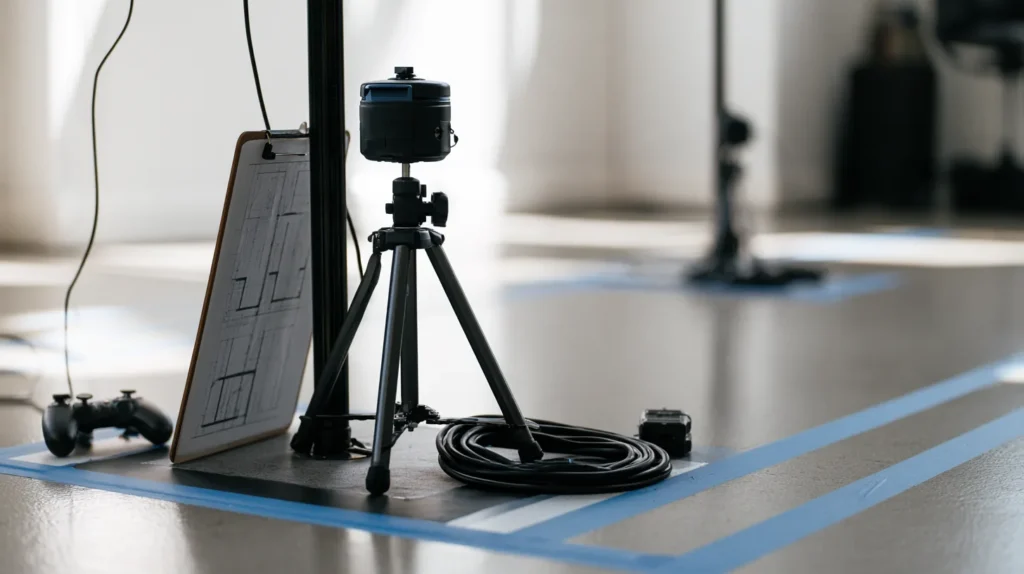
A position that looks right when read from one reference space can look wrong when read from another, and the specification is explicit that this is by design rather than an oversight. It deliberately does not define a single underlying global space that every reference space is relative to, because no such global space exists on every system. The LOCAL reference space is the one most application code anchors to: "The LOCAL reference space establishes a world-locked origin, gravity-aligned to exclude pitch and roll, with +Y up, +X to the right, and -Z forward." Runtimes must also support VIEW, which tracks the viewer's head pose (the view origin) rather than eye gaze, and is not gravity-aligned. OpenXR 1.1 promoted a floor-level equivalent, LOCAL_FLOOR, from the XR_EXT_local_floor extension into mandatory core: per the specification, "Runtimes must support LOCAL_FLOOR reference space", so a floor-aligned origin is guaranteed on any 1.1 runtime without an extension query. STAGE is a different guarantee: a runtime-defined flat rectangular area with defined XZ bounds, still core in 1.1 but not mandatory, so an application calls xrEnumerateReferenceSpaces to confirm it before assuming a bounded stage area exists. Each reference space is its own coordinate frame, and an application converts between them with xrLocateSpace rather than assuming a shared origin. Mixing poses read from two different reference spaces without that explicit conversion is a quiet failure mode. Nothing throws an error. The position is simply wrong by whatever offset separates the two frames.
The engine layer: Unity, Unreal and Godot
All three engines this guide scopes in build on the same specification rather than a fork of it. Khronos's own engine list dates each integration: "Unity: OpenXR plugin since Unity 2020 LTS", "Epic Unreal Engine: OpenXR support since Version 4.24" and "Godot Engine: Built-In OpenXR support since 4.0, via plugin since 3.2". Those dates are Khronos's own listing. The Conformance Test Suite, run by runtimes claiming conformance, is what gives every integration a consistent target: "The OpenXR Conformance Test Suite (CTS) is available on GitHub and helps to create a reliable platform for developers by ensuring that OpenXR is implemented consistently across all platforms." It says nothing about how much of the specification that integration actually exposes, which is the separate question the next section covers.
Conformance is a runtime-level floor, not a promise of identical feature coverage between engines. Unity's own manual states, as of the 1.14 plugin, that it does not yet provide out-of-the-box solutions on OpenXR for controller and hand models, finger tracking, augmented or mixed reality features, composition layers, overlays or foveated rendering, though platform-specific or third-party plugins may cover some of these. That is the manual's own list, worth re-checking against its feature pages before being treated as fixed. Assuming feature parity across engines, rather than checking each engine's own gap list, is how a porting estimate goes wrong before a single line of platform code is written.
Two runtimes worth naming explicitly sit on Khronos's own conformant-runtimes list: "Google: Android XR on all Conformant Headsets" and "Meta: Quest 3, Quest Pro, Quest 2, Quest and Rift S and Meta XR Simulator". Ten other vendors sit on the same list. What that listing supports is narrower than it looks. It confirms Meta and Android XR ship runtimes Khronos itself lists as conformant, not the contents of any specific Meta- or Android-prefixed extension, a claim this guide does not make.
visionOS: the separate path
visionOS is absent from Khronos's conformant-runtimes list, and Apple's own developer page for the platform never uses the word OpenXR anywhere while describing what the platform's application stack actually is. That absence, not a stated Apple policy, is the basis for treating visionOS as a separate path rather than another runtime to detect and gate. What Apple's page describes instead is its own stack, built on windows, volumes and spaces, with RealityKit as the rendering layer: "RealityKit is also deeply integrated with SwiftUI to help you build sharp, responsive, and volumetric interfaces." A native visionOS integration runs on Apple's own RealityKit and SwiftUI frameworks or reaches the platform through Unity via PolySpatial, with Metal available for a fully immersive rendering path. Apple's own framing of the Unity entry point is direct: "Use Unity’s robust and familiar authoring tools to create new apps and games, or reimagine your existing Unity-created projects for visionOS." In practice that means Unity content is simulated with Unity and rendered through RealityKit, via Unity's PolySpatial technology, with a hybrid mode available that combines Metal rendering with RealityKit. Assuming an OpenXR codebase ports to visionOS the way it ports across every other conformant runtime is the failure mode this section exists to head off. It does not, because there is no OpenXR runtime on visionOS to target in the first place. The port is an Apple-framework integration (RealityKit, SwiftUI or Metal), not an extension-gating exercise.
How Pharos Production helps
A cross-platform OpenXR codebase is not the finish line on its own. It is the input layer for a game, a training simulation or a spatial product that has to run the same experience on a Meta headset, an Android XR device and, separately, visionOS. For cost modeling this work into a project scope before a build starts, our AR/VR development cost guide covers that side of the estimate.
Our AR/VR development team builds the parts of a port that decide whether it survives contact with a second headset: extension detection gated on the actual xrEnumerateInstanceExtensionProperties query rather than an assumption, input bound to interaction profiles instead of hard-coded to one controller layout and a visionOS path built as its own Apple-framework integration (RealityKit, SwiftUI or Metal) rather than forced through an OpenXR runtime that platform does not have. We work across gaming software development projects, where this decision set shows up whenever a title targets more than one headset, and on the training, simulation and spatial-product builds that share the same portability constraints.
Sources: Khronos on khronos.org/openxr (the program overview page), the OpenXR 1.1 Specification on registry.khronos.org, the OpenXR-SDK and OpenXR-SDK-Source repositories on github.com, Unity's OpenXR Plugin 1.14 manual and Apple's visionOS overview. Read 23 September 2026. Engineering guidance, not a vendor or engine recommendation.
FAQ
Quick answers to common questions about custom software development, pricing, process and technology.
Type to filter questions and answers. Use Topic to narrow the list.
Showing all 6
No matches
Try a different keyword, change the topic or clear filters
-
Does OpenXR replace the need to test on every target headset?
No. OpenXR removes the need for a separate proprietary code path per device, but it does not remove the need to verify what a specific runtime actually supports. The specification's extension model is built around a capability query precisely because extensions are optional per runtime, and Unity's own manual documents features its OpenXR plugin does not yet cover out of the box.
Conformance to the standard is a floor, not a guarantee that every capability a project needs behaves identically everywhere.
-
What is the difference between a core OpenXR 1.1 capability and an extension, and how does a codebase confirm which API version a runtime actually granted?
A core capability is part of the specification itself rather than requiring a separate extension, though some core features, such as the STAGE reference space, still stay optional per system and need their own support check. An extension is optional per runtime and carries a vendor-tag prefix stating who owns it and its intended breadth: KHR for a Khronos-ratified extension, EXT for a non-Khronos extension aimed at multiple vendors or a vendor-specific tag for an extension one vendor originated.
Every extension, whatever its prefix, is queried through the same runtime capability check before a codebase depends on it. Core status is not unconditional either: a 1.1 core call still needs the application to request apiVersion 1.1 at instance creation, and OpenXR does not negotiate that request, so a runtime accepting it is itself the confirmation. A runtime that only implements 1.0 rejects it with XR_ERROR_API_VERSION_UNSUPPORTED, and the codebase retries at 1.0 with the equivalent extensions. OpenXR 1.1 itself folded a set of extensions that existed separately under 1.0 into the core specification, which is why a capability that needed a runtime-support check on an older codebase can be a plain core call on a current one.
-
Why can't a codebase just read raw controller input instead of suggesting bindings for an interaction profile?
Because core OpenXR does not expose one. There is no API call that returns a controller's raw button or axis state.
Every input path runs through actions and interaction profiles. The only way to read raw state at all is to go around OpenXR through a vendor SDK or an engine's device-specific API, which reintroduces the per-vendor code path OpenXR exists to remove and stops working the moment a second headset presents a different controller. An interaction profile abstracts the physical arrangement of buttons and sticks, and suggesting a named action such as grab or teleport for it is what lets the same input logic reach devices with genuinely different controllers, through bindings the application proposes and the runtime resolves per device.
-
Does every OpenXR runtime support the STAGE reference space?
No, and the specification is explicit about this rather than leaving it implied. VIEW and LOCAL are guaranteed, and OpenXR 1.1 also made LOCAL_FLOOR mandatory, guaranteeing a floor-aligned origin on every 1.1 runtime.
STAGE is a different guarantee, a runtime-defined flat area with defined bounds, that some systems do not provide at all. A codebase confirms STAGE support by calling xrEnumerateReferenceSpaces before depending on it, rather than assuming a bounded stage area is universal across conformant runtimes.
-
Should a project route input through an engine's own OpenXR integration, or build against the loader directly?
It depends on the engine. Unity's OpenXR Plugin buys project validation and a maintained loader linkage, at the cost of being bounded by the features that plugin release implements.
Godot 4's OpenXR support is built into the engine itself since 4.0, rather than shipped as a separately versioned plugin. Building directly against the loader removes the Unity-style feature ceiling but puts extension queries, action-set wiring and reference-space handling back on the project's own code, which only pays off when a plugin has not caught up to a capability the project needs. Either way, feature coverage is not identical across engines: Unity's own 1.14 manual is explicit about what its OpenXR plugin does not yet provide out of the box, a list worth re-checking against the manual's own feature pages, and checking the target engine's own stated gap list, rather than assuming parity, is what a porting estimate needs to get right early.
-
Is a visionOS build the same porting exercise as adding a second OpenXR headset?
No. Treating it that way is a scoping mistake this guide corrects directly. visionOS does not appear on Khronos's list of conformant OpenXR runtimes, and Apple's own developer page for the platform describes RealityKit and SwiftUI as its stack and never mentions OpenXR.
A native visionOS integration is an Apple-framework integration, built on Apple's own RealityKit, SwiftUI or Metal frameworks, with Unity reaching the platform through PolySpatial, or Metal for fully immersive rendering, rather than through the extension-gating and interaction-profile work that ports a codebase across every other conformant runtime.

I work with startup founders who need a dedicated software development team but don’t want to gamble on hiring, random outsourcing, or opaque delivery.
Most founders face the same problem sooner or later.
Early technical and team decisions lock the product into tech debt, slow delivery, missed milestones and constant re-hiring. By the time this becomes visible, fixing it is already expensive.As a CTO and software architect, I help founders design, build and run dedicated development teams that work as a true extension of the startup. Not as a black-box vendor.
My focus is on complex products where mistakes are costly:
- Web3 and blockchain platforms
- FinTech and regulated products
- High-load startup systems
- MVP → scale transitions
We don’t do body-shopping.
We don’t sell generic outsourcing.Instead, we help founders:
- build the right team structure from day one
- keep technical ownership and transparency
- scale delivery without losing control
- avoid vendor lock-in and hidden risks
Teams are aligned with the product roadmap, business goals and long-term architecture. Not just short-term velocity.